TestFlight beta · iOS and iPadOS

A station sign
for your nightstand.

& Brooklyn turns your iPhone’s StandBy screen, and your iPad, into a subway-style sign. You write what it says.

Made for real desks
and nightstands.

Set your iPhone on its side on a charger and StandBy shows the sign. On iPad, Display mode keeps it on all night.
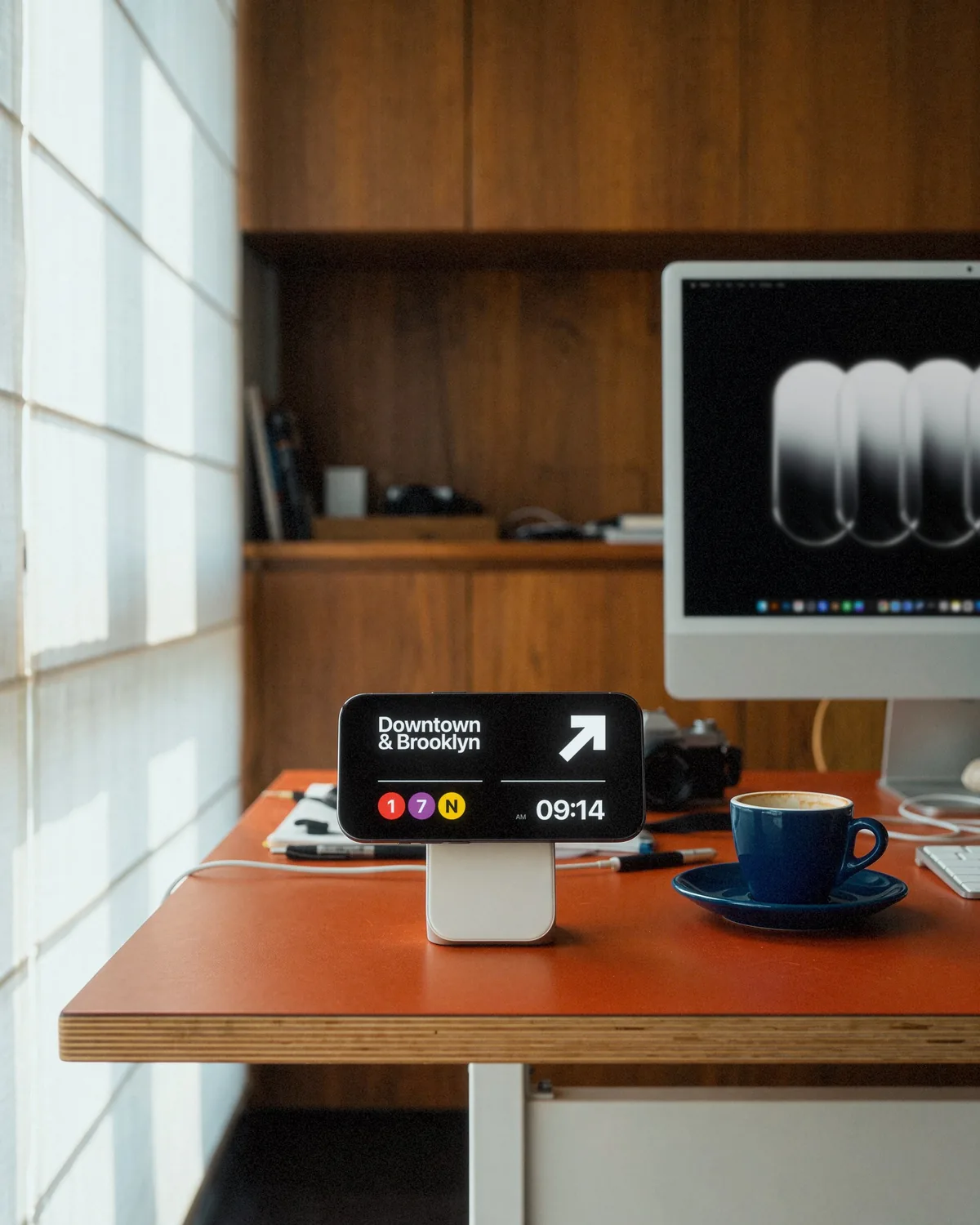
An iPhone in StandBy on a desk charger, showing a black sign that reads Downtown & Brooklyn with 1, 7 and N route bullets
Desk · iPhone StandBy
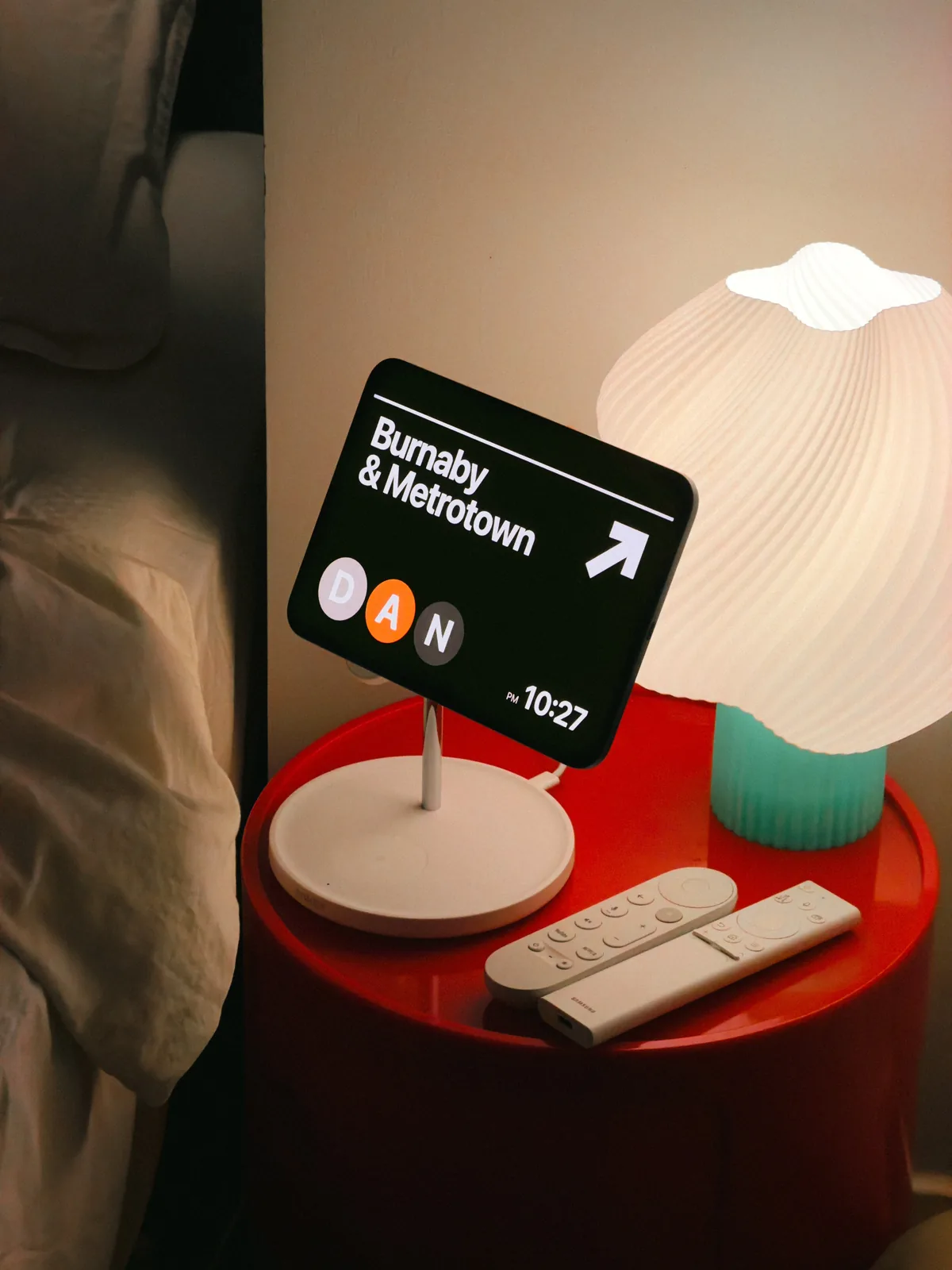
An iPad on a stand next to a lamp, showing a sign that reads Burnaby & Metrotown
Nightstand · iPad Display
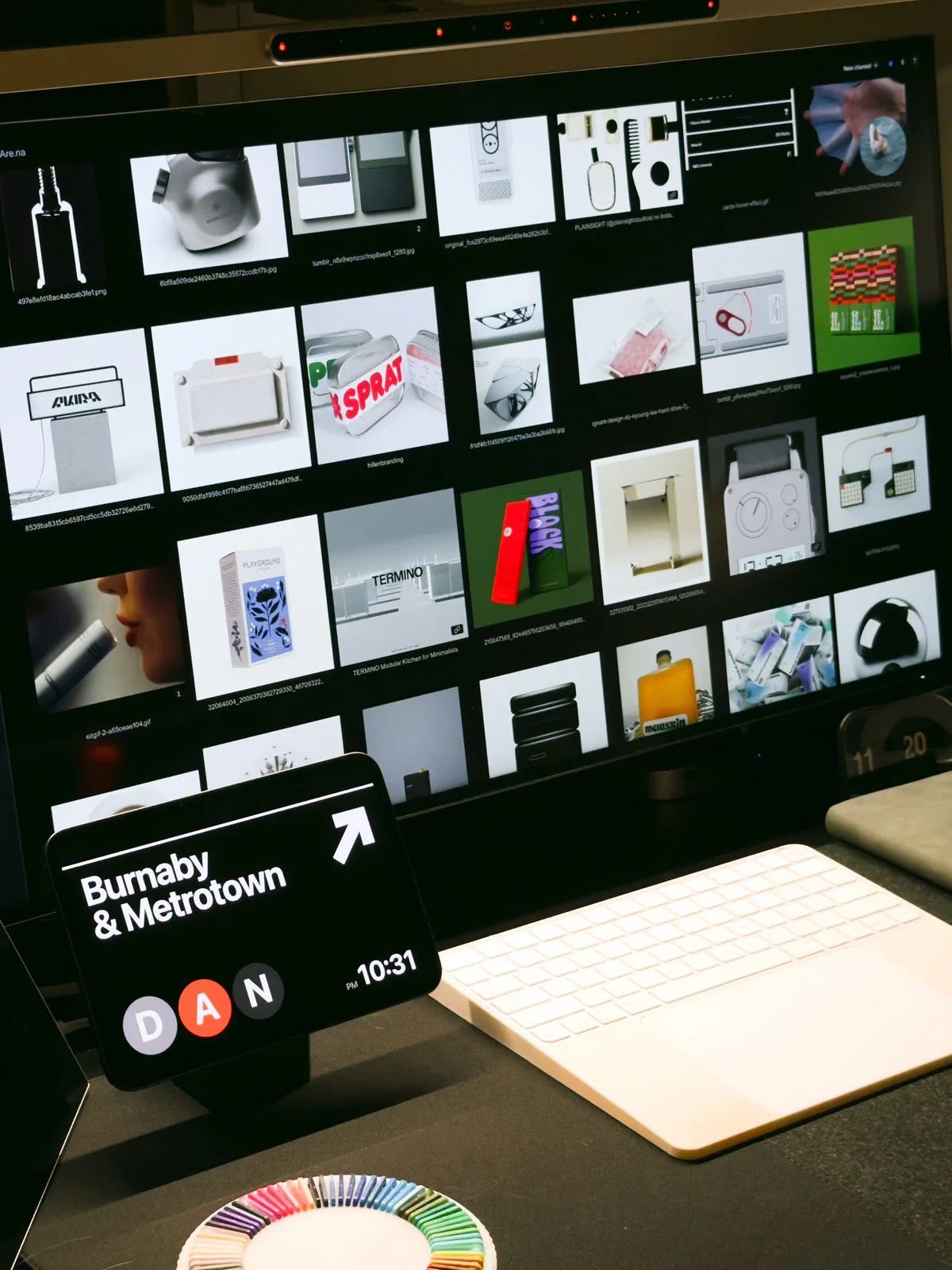
An iPad sign in front of a large monitor in a design studio
Studio · iPad Display

Four tabs.
That’s the whole editor.

These are real screens from the app. Every edit syncs to your StandBy sign automatically.
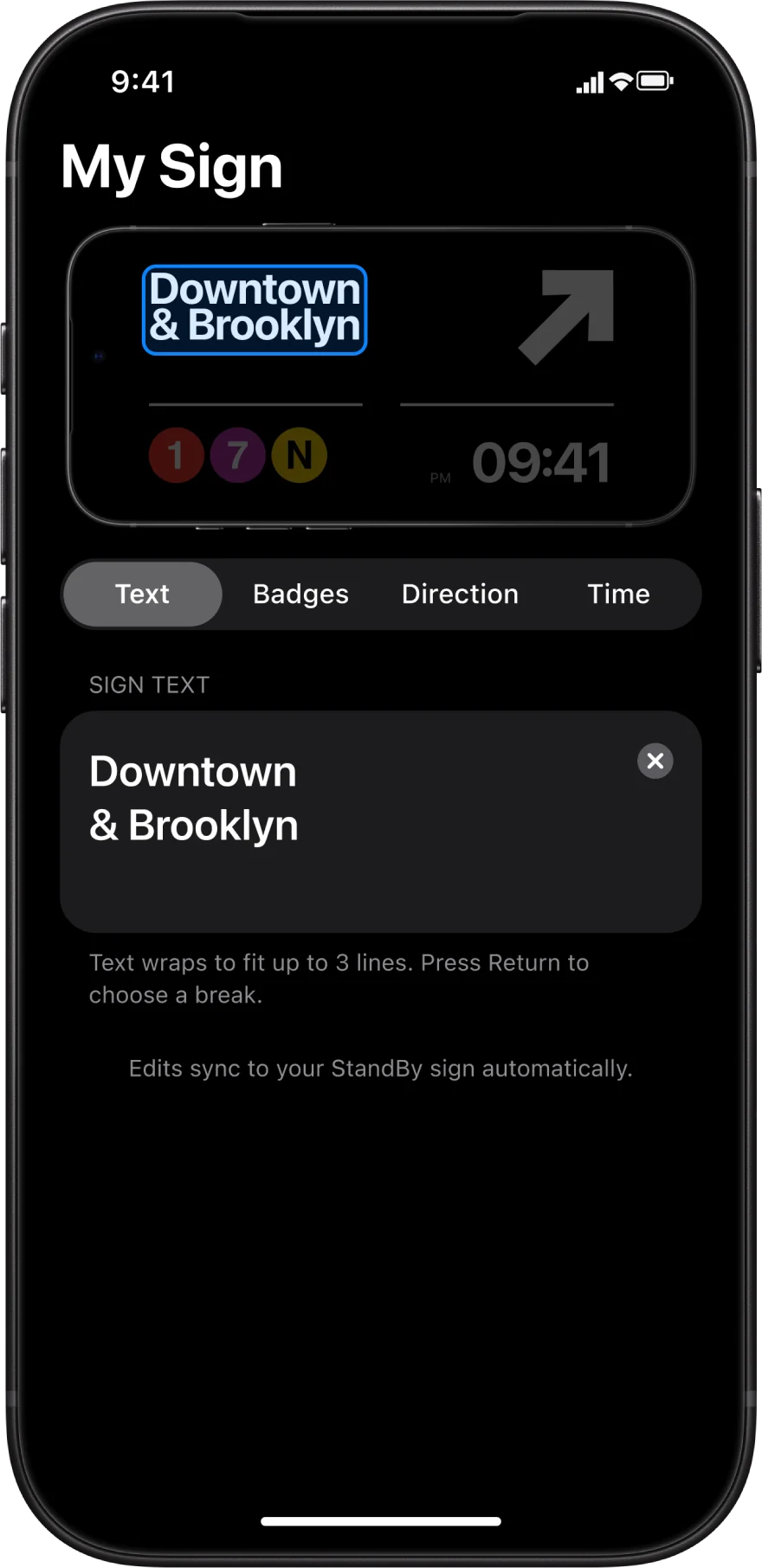
Text tab: editing the sign text Downtown & Brooklyn
TextType a station name, a mood or a joke. Up to three lines.
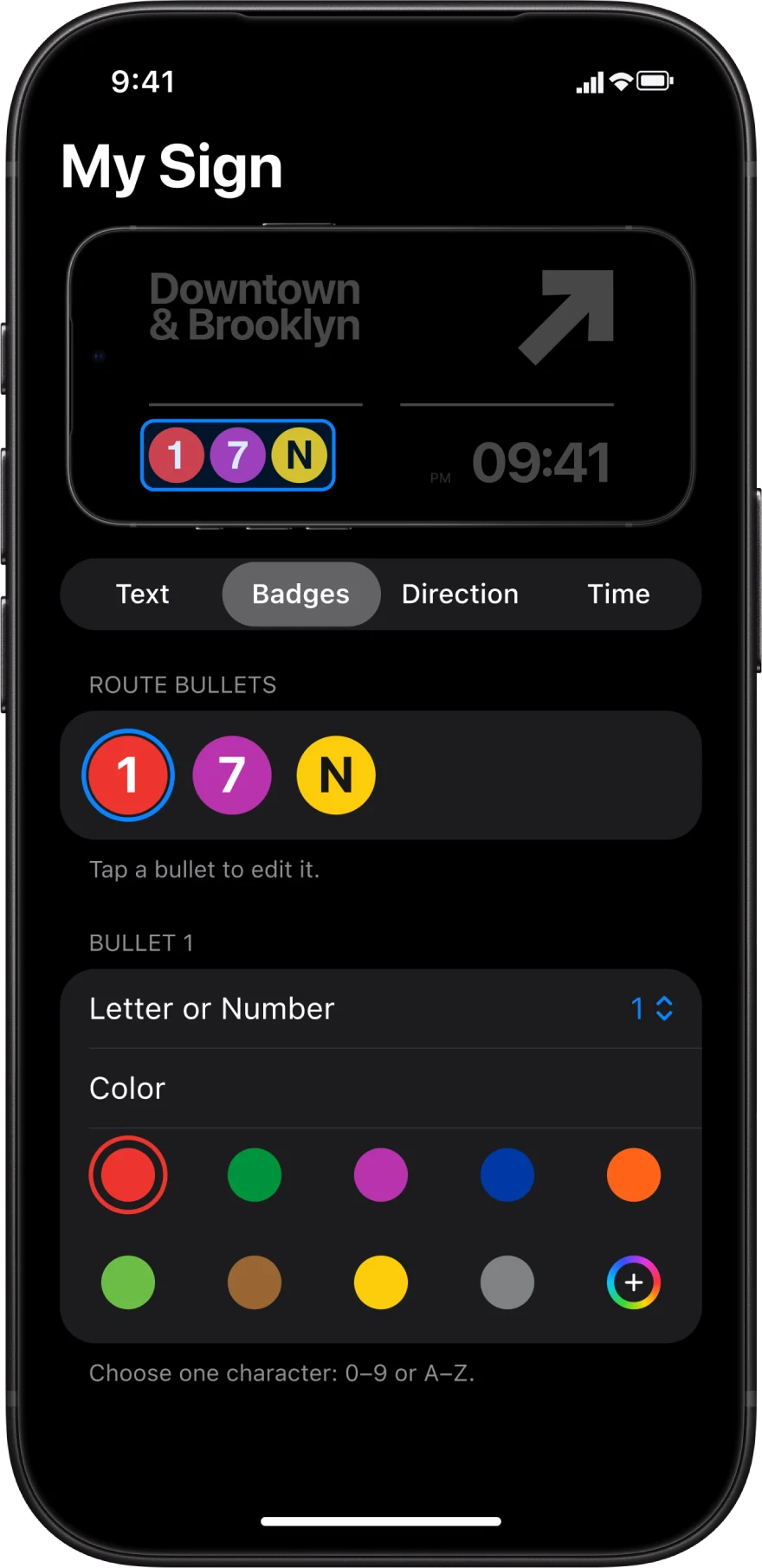
Badges tab: three route bullets 1, 7 and N with a color palette
BadgesThree route bullets. One or two characters each, in any color.
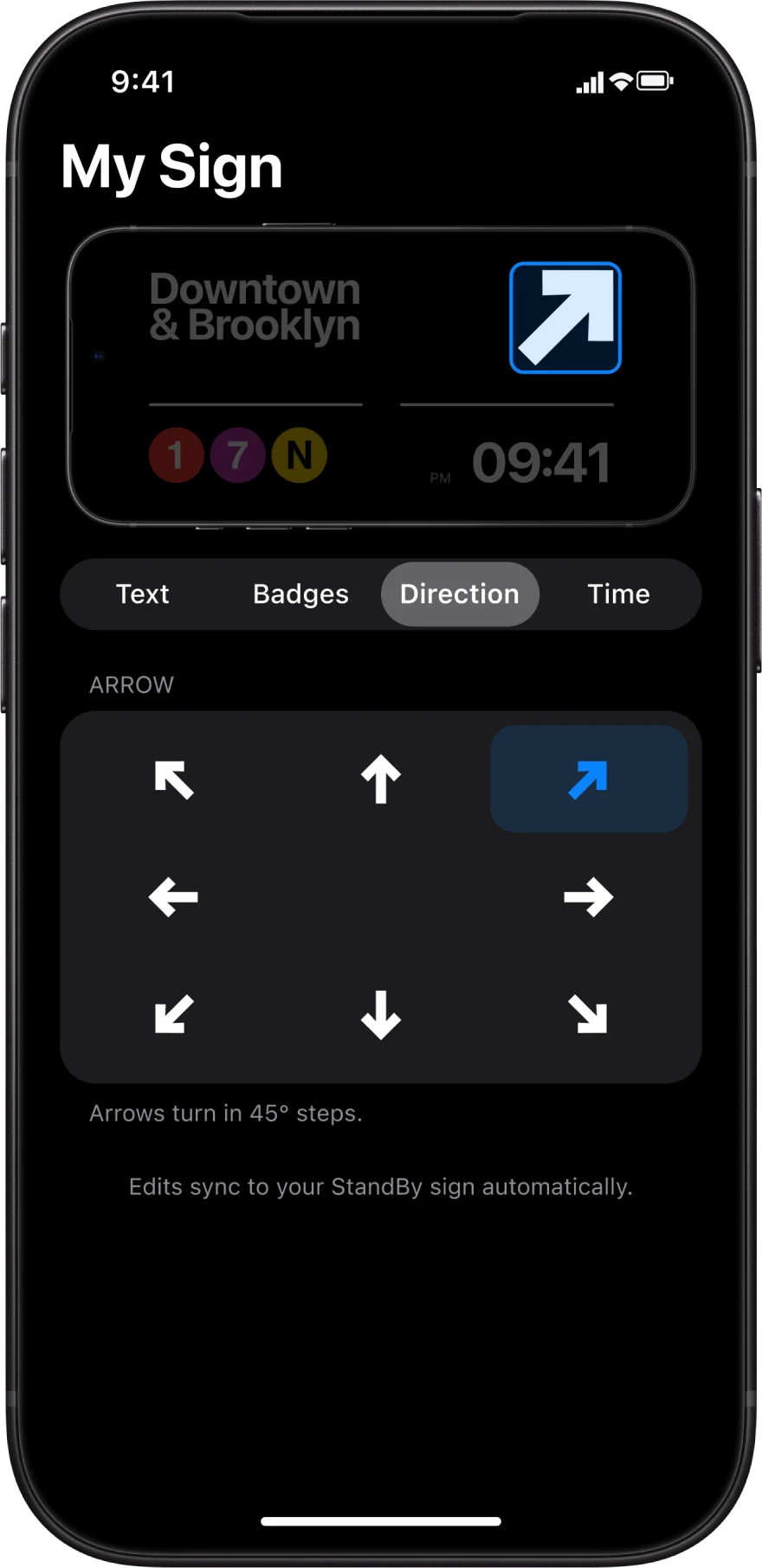
Direction tab: a grid of eight arrow directions
DirectionPoint the arrow in any of eight directions.
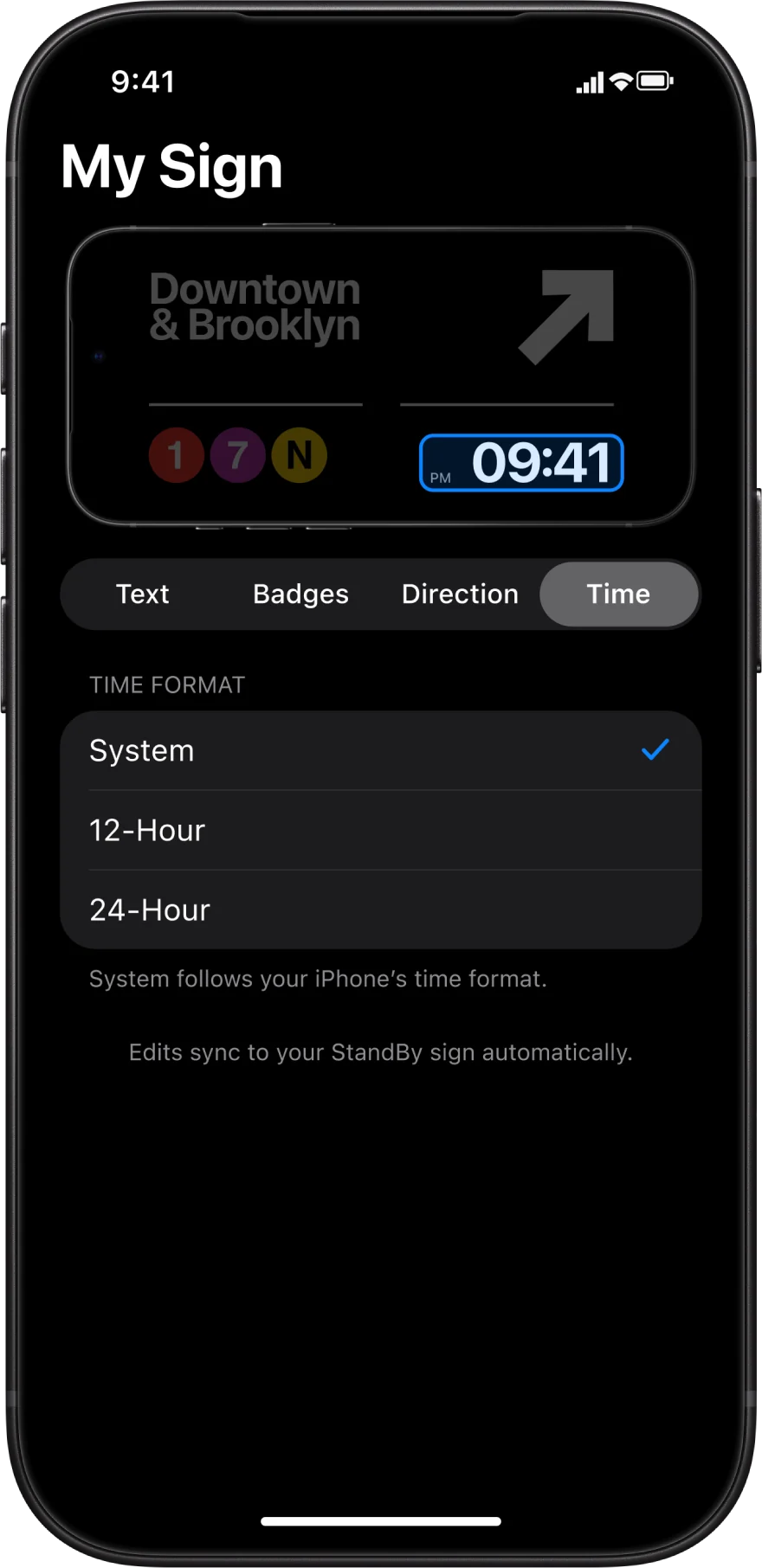
Time tab: System, 12-hour and 24-hour options
TimeFollow the system clock, or pick 12-hour or 24-hour.
& Brooklyn app icon

Get the TestFlight
link first.

Leave your email. When the beta opens, you get the invite before anyone else.